

在Powershell直接脚本时会出现:
无法加载文件 ******.ps1,因为在此系统中禁止执行脚本。有关详细信息,请参阅 "get-help about_signing"。
所在位置 行:1 字符: 17
+ E:\Test\test.ps1 <<<<
+ CategoryInfo : NotSpecified: (:) [], PSSecurityException
+ FullyQualifiedErrorId : RuntimeException
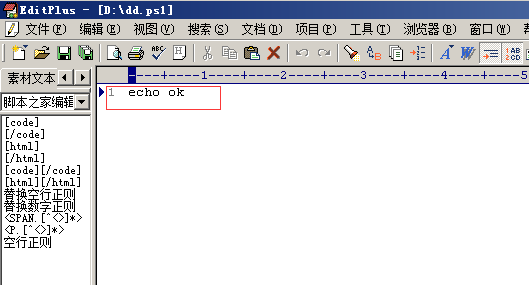
ps1的内容:
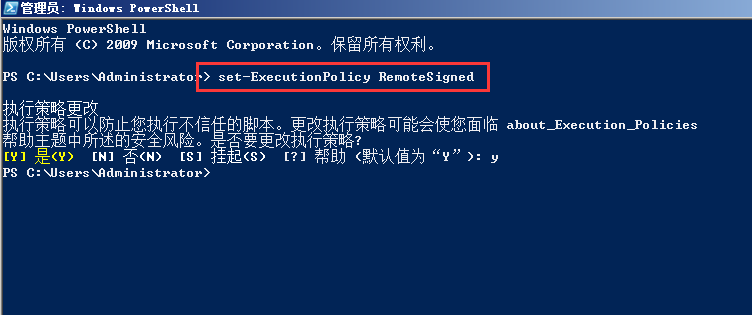
在powershell中执行 set-ExecutionPolicy RemoteSigned
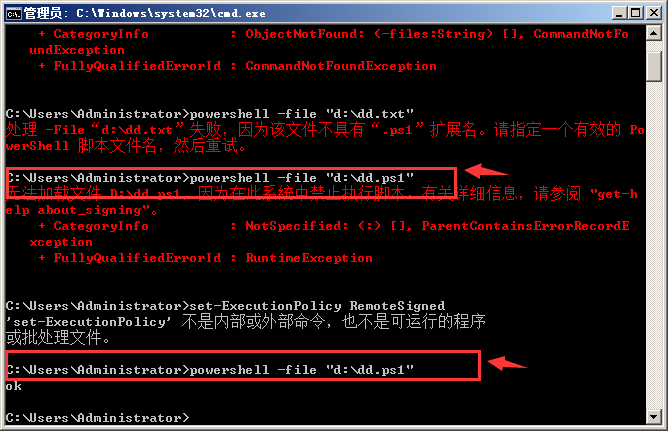
下图可以看到原来是无法运行对的,执行了上面的命令后就可以了,如下图
查看“get-help about_signing”:
主题
about_signing
简短说明
说明如何对脚本进行签名以使其符合 Windows PowerShell 执行策略。
详细说明
Restricted 执行策略不允许任何脚本运行。
AllSigned 和 RemoteSigned 执行策略可防止 Windows PowerShell 运行没有数字签名的脚本。
本主题说明如何运行所选未签名脚本(即使在执行策略为 RemoteSigned 的情况下),还说明如何对
脚本进行签名以便您自己使用。
有关 Windows PowerShell 执行策略的详细信息,请参阅 about_Execution_Policy。
允许运行签名脚本
-------------------------------
首次在计算机上启动 Windows PowerShell 时,现用执行策略很可能是 Restricted(默认设置)。
Restricted 策略不允许任何脚本运行。
若要了解计算机上的现用执行策略,请键入:
get-executionpolicy
若要在本地计算机上运行您编写的未签名脚本和来自其他用户的签名脚本,请使用以下命令将计算机上的
执行策略更改为 RemoteSigned:
set-executionpolicy remotesigned
有关详细信息,请参阅 Set-ExecutionPolicy。
执行“set-ExecutionPolicy RemoteSigned ”:
执行策略更改
执行策略可以防止您执行不信任的脚本。更改执行策略可能会使您面临 about_Execution_Policies
帮助主题中所述的安全风险。是否要更改执行策略?
[Y] 是(Y) [N] 否(N) [S] 挂起(S) [?] 帮助 (默认值为“Y”): y
Run a CMD batch file
To run a batch script from the CMD shell, save the file as plain ASCII text with the file extension .CMD, then from the command line, enter the name of the script and press return.
C:\Batch> Demo.cmd
To run a batch file from within another batch file, use the CALL command, otherwise the first script will exit without performing any further commands.
It is also possible to run batch scripts with the old (Windows 95 style) .BAT extension, but be aware that these will set ERRORLEVEL differently.
Run a Powershell script
To run a PowerShell script from the CMD shell:
C:\> powershell -file "c:\batch\demo.ps1"
</div>
Run a VBScript file
To run a VBScript from the CMD shell:
C:\> cscript c:\batch\demo.vbs
</div>
“The method of the enterprising is to plan with audacity and execute with vigor” ~ John Christian Bovee
</div>