

通过本文主要向大家介绍了python 保存网页,python 写网页,python网页截图,python采集网页数据,python网页开发等相关知识,希望对您有所帮助,也希望大家支持linkedu.com www.linkedu.com
Python保存网页图片
这个是个比较简单的例子,网页中的图片地址都是使用'http://。。。。.jpg'这种方式直接定义的。
使用前,可以先建立好一个文件夹用于保存图片,本例子中使用的文件夹是 d:\\pythonPath这个文件夹
代码如下:
# -*- coding: UTF-8 -*-
import os,re,urllib,uuid

#首先定义云端的网页,以及本地保存的文件夹地址
urlPath='http://gamebar.com/'
localPath='d:\\pythonPath'


#从一个网页url中获取图片的地址,保存在
#一个list中返回
def getUrlList(urlParam):
  urlStream=urllib.urlopen(urlParam)
  htmlString=urlStream.read()
  if( len(htmlString)!=0 ):
    patternString=r'http://.{0,50}\.jpg'
    searchPattern=re.compile(patternString)
    imgUrlList=searchPattern.findall(htmlString)
    return imgUrlList


#生成一个文件名字符串
def generateFileName():
  return str(uuid.uuid1())


#根据文件名创建文件
def createFileWithFileName(localPathParam,fileName):
  totalPath=localPathParam+'\\'+fileName
  if not os.path.exists(totalPath):
    file=open(totalPath,'a+')
    file.close()
    return totalPath


#根据图片的地址,下载图片并保存在本地
def getAndSaveImg(imgUrl):
  if( len(imgUrl)!= 0 ):
    fileName=generateFileName()+'.jpg'
    urllib.urlretrieve(imgUrl,createFileWithFileName(localPath,fileName))


#下载函数
def downloadImg(url):
  urlList=getUrlList(url)
  for urlString in urlList:
    getAndSaveImg(urlString)

downloadImg(urlPath)
</div>
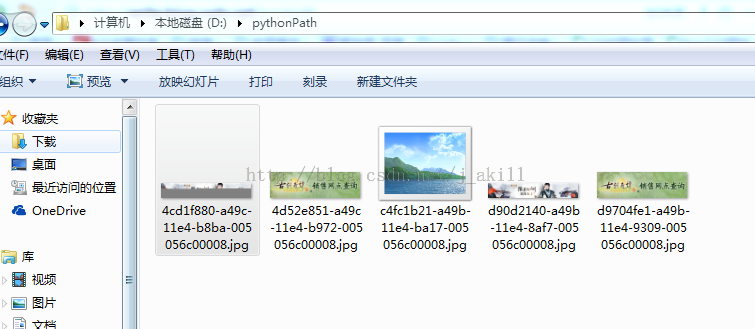
保存的文件如下:
网页的一部分保存为图片
主要思路是selenium+phantomjs(中文网页需要设置字体)+PIL切图
def webscreen():
  url = 'http://www.xxx.com'
  driver = webdriver.PhantomJS()
  driver.set_page_load_timeout(300)
  driver.set_window_size(1280,800)
  driver.get(url)
  imgelement = driver.find_element_by_id('XXXX')
  location = imgelement.location
  size = imgelement.size
  savepath = r'XXXX.png'
  driver.save_screenshot(savepath)
  im = Image.open(savepath)
  left = location['x']
  top = location['y']
  right = left + size['width']
  bottom = location['y'] + size['height']
  im = im.crop((left,top,right,bottom))
  im.save(savepath)
</div>
</div>