

直接上需求和代码
首先是需要爬取的链接和网页:http://211.81.31.34/uhtbin/cgisirsi/x/0/0/57/49?user_id=LIBSCI_ENGI&password=LIBSC
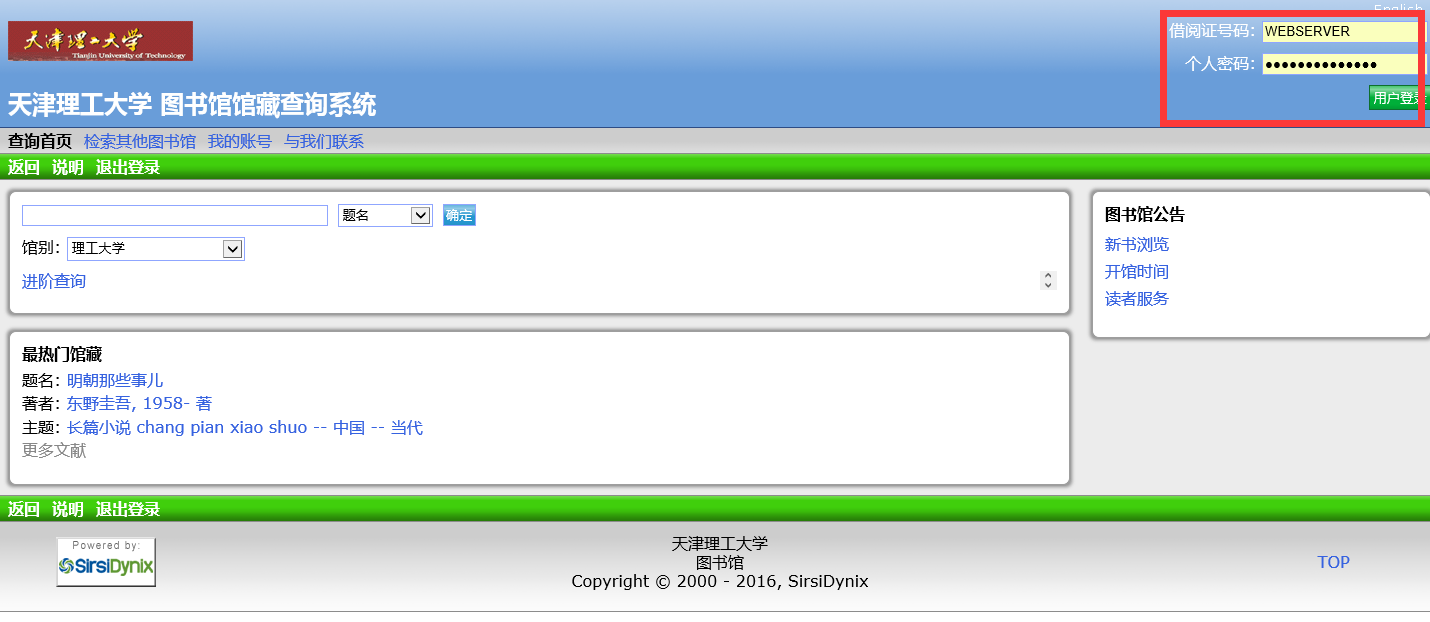
登陆进去之后进入我的账号——借阅、预约及申请记录——借阅历史就可以看到所要爬取的内容
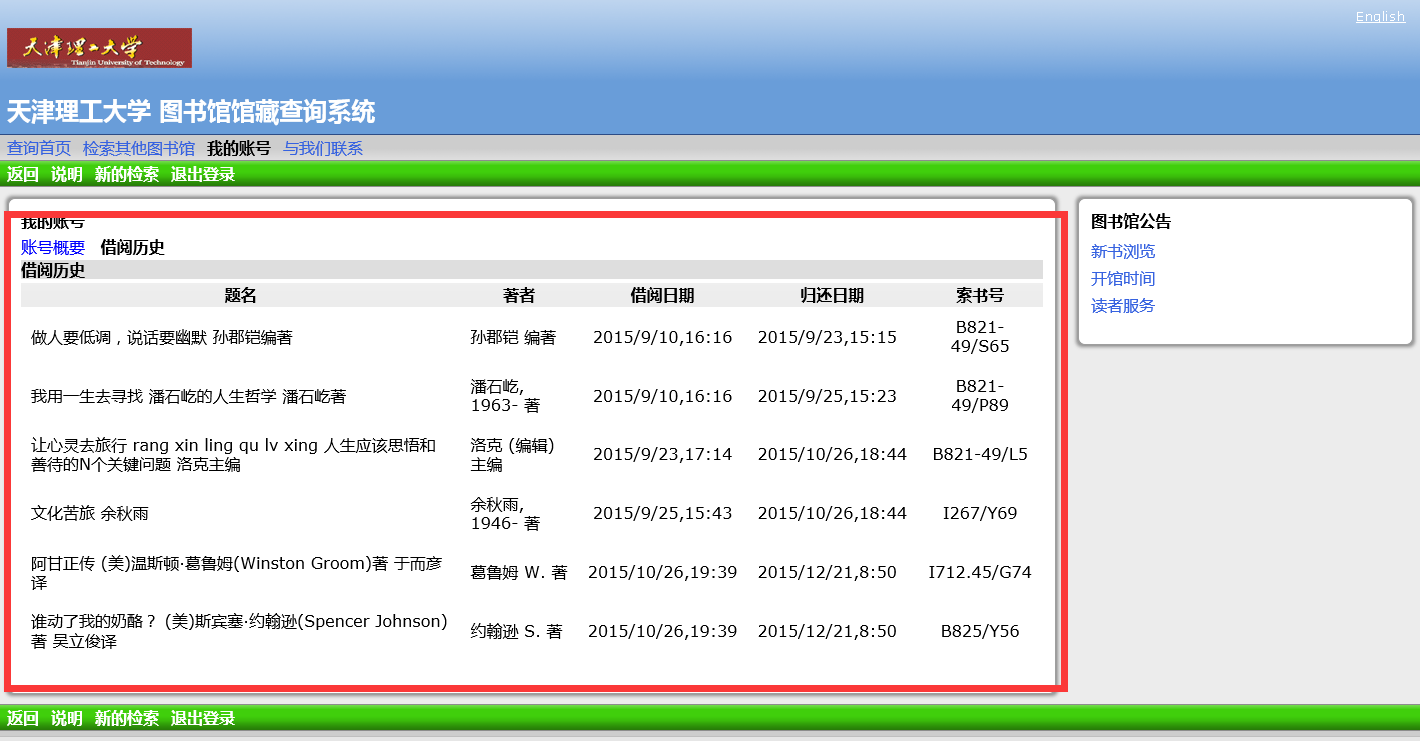
然后将借阅历史中的题名、著者、借阅日期、归还日期、索书号存入Mongodb数据库中,以上便是这次爬虫的需求。
下面开始:
各软件版本为:
- python 2.7.11
- MongoDb 3.2.1
- Pycharm 5.0.4
- MongoDb Management Studio 1.9.3
- 360极速浏览器 懒得查了
一、登陆模块
python中的登陆一般都是用urllib和urllib2这两个模块,首先我们要查看网页的源代码:
<form name="loginform" method="post" action="/uhtbin/cgisirsi/?ps=nPdFje4RP9/理工大学馆/125620449/303">
<!-- Copyright (c) 2004, Sirsi Corporation - myProfile login or view myFavorites -->
<!-- Copyright (c) 1998 - 2003, Sirsi Corporation - Sets the default values for USER_ID, ALT_ID, and PIN prompts. - The USER_ID, ALT_ID, and PIN page variables will be returned. -->
<!-- If the user has not logged in, first try to default to the ID based on the IP address - the $UO and $Uf will be set. If that fails, then default to the IDs in the config file. If the user has already logged in, default to the logged in user's IDs, unless the user is a shared login. -->
<!-- only user ID is used if both on -->
<div class="user_name">
<label for="user_id">借阅证号码:</label>
<input class="user_name_input" type="text" name="user_id" id="user_id" maxlength="20" value=""/>
</div>
<div class="password">
<label for="password">个人密码:</label>
<input class="password_input" type="password" name="password" id="password" maxlength="20" value=""/>
</div>
<input type="submit" value="用户登录" class="login_button"/>
查找网页中的form表单中的action,方法为post,但是随后我们发现,该网页中的action地址不是一定的,是随机变化的,刷新一下就变成了下面这样子的:
<form name="loginform" method="post" action="/uhtbin/cgisirsi/?ps=1Nimt5K1Lt/理工大学馆/202330426/303">
我们可以看到/?ps到/之间的字符串是随机变化的(加粗部分),于是我们需要用到另一个模块——BeautifulSoup实时获取该链接:
url = "http://211.81.31.34/uhtbin/cgisirsi/x/0/0/57/49?user_id=LIBSCI_ENGI&password=LIBSC"
res = urllib2.urlopen(url).read()
soup = BeautifulSoup(res, "html.parser")
login_url = "http://211.81.31.34" + soup.findAll("form")[1]['action'].encode("utf8")
之后就可以正常使用urllib和urllib来模拟登陆了,下面列举一下BeautifulSoup的常用方法,之后的HTML解析需要:
1.soup.contents 该属性可以将tag的子节点以列表的方式输出
2.soup.children 通过tag的.children生成器,可以对tag的子节点进行循环
3.soup.parent 获取某个元素的父节点
4.soup.find_all(name,attrs,recursive,text,**kwargs) 搜索当前tag的所有tag子节点,并判断是否符合过滤器的条件
5.soup.find_all("a",class="xx") 按CSS搜索
6.find(name,attrs,recursive,text,**kwargs) 可以通过limit和find_all区分开
二、解析所获得的HTML
先看看需求中的HTML的特点:
<tbody id="tblSuspensions">
<!-- OCLN changed Listcode to Le to support charge history -->
<!-- SIRSI_List Listcode="LN" -->
<tr>
<td class="accountstyle" align="left">
<!-- SIRSI_Conditional IF List_DC_Exists="IB" AND NOT List_DC_Comp="IB^" -->
<!-- Start title here -->
<!-- Title -->
做人要低调,说话要幽默 孙郡铠编著
</td>
<td class="accountstyle author" align="left">
<!-- Author -->
孙郡铠 编著
</td>
<td class="accountstyle due_date" align="center">
<!-- Date Charged -->
2015/9/10,16:16
</td>
<td class="accountstyle due_date" align="left">
<!-- Date Returned -->
2015/9/23,15:15
</td>
<td class="accountstyle author" align="center">
<!-- Call Number -->
B821-49/S65
</td>
</tr>
<tr>
<td class="accountstyle" align="left">
<!-- SIRSI_Conditional IF List_DC_Exists="IB" AND NOT List_DC_Comp="IB^" -->
<!-- Start title here -->
<!-- Title -->
我用一生去寻找 潘石屹的人生哲学 潘石屹著
</td>
<td class="accountstyle author" align="left">
<!-- Author -->
潘石屹, 1963- 著
</td>
<td class="accountstyle due_date" align="center">
<!-- Date Charged -->
2015/9/10,16:16