

在Python中有很多很好的工具来生成字符串文档(docstring),比如说: epydoc、doxygen、sphinx,但始终觉得pydoc还是不错的工具,用法非常简单,功能也算不错,本文主要介绍pydoc.
pydoc是Python自带的模块,主要用于从python模块中自动生成文档,这些文档可以基于文本呈现的、也可以生成WEB 页面的,还可以在服务器上以浏览器的方式呈现!
【用法】
Windows下:
D:\>python -m pydoc <modulename> # 比如说: python -m pydoc math
-m参数:Python以脚本的方法运行模块
</div>
Linux/Unix下:
$ pydoc <modulename> # 比如说: pydoc
</div>
【帮助】
$ pydoc -h
pydoc - the Python documentation tool
pydoc <name> ...
Show text documentation on something. <name> may be the name of a
Python keyword, topic, function, module, or package, or a dotted
reference to a class or function within a module or module in a
package. If <name> contains a '/', it is used as the path to a
Python source file to document. If name is 'keywords', 'topics',
or 'modules', a listing of these things is displayed.
pydoc -k <keyword>
Search for a keyword in the synopsis lines of all available modules.
pydoc -p <port>
Start an HTTP server on the given port on the local machine.
pydoc -w <name> ...
Write out the HTML documentation for a module to a file in the current
directory. If <name> contains a '/', it is treated as a filename; if
it names a directory, documentation is written for all the contents.
</div>
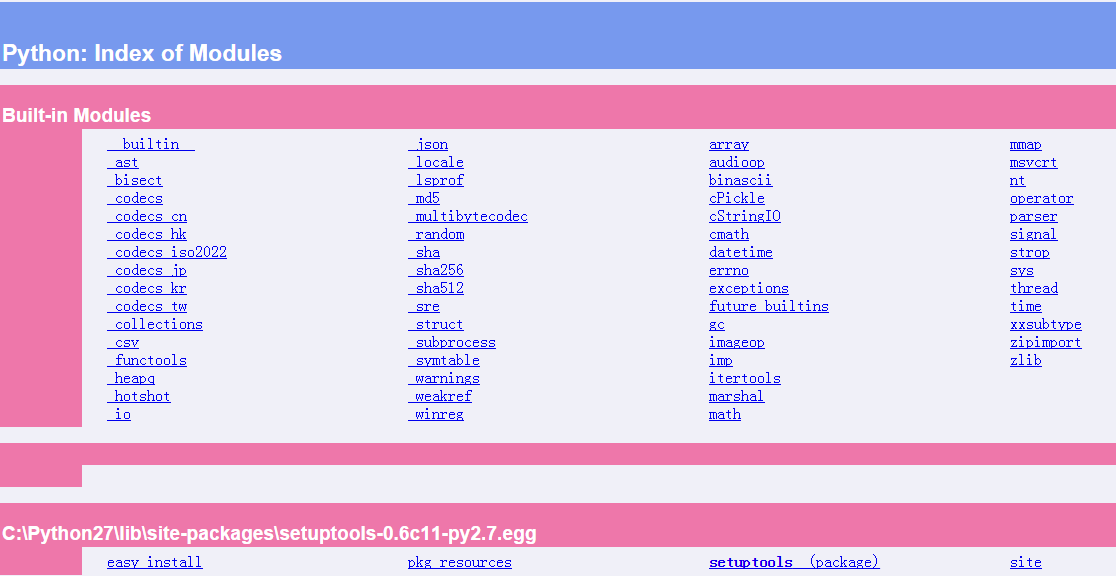
【参数 -p】在本地机器上,按照给定的端口启动HTTP,
D:\>python -m pydoc -p 1234 #比如说: 端口为1234
pydoc server ready at http://localhost:1234/
pydoc server stopped
</div>
在IE中输入:http://localhost:1234/,效果如图:
【参数 -k】在所有可用的模块中按关键字搜索
$ pydoc -k xml.sax
xml.sax (package) - Simple API for XML (SAX) implementation for Python.
xml.sax._exceptions - Different kinds of SAX Exceptions
xml.sax.expatreader - SAX driver for the pyexpat C module. This driver works with
xml.sax.handler - This module contains the core classes of version 2.0 of SAX for Python.
xml.sax.saxutils - A library of useful helper classes to the SAX classes, for the
xml.sax.xmlreader - An XML Reader is the SAX 2 name for an XML parser. XML Parsers
</div>
【参数 -w】将指定模块的文本字符串生成HTML格式
比如说,在Window下面,执行下面命令:
D:\Learn\Python>python -m pydoc math -w math.html # math是模块名,-w:写
</div>
那么在D:\Learn\Python目录下会生成math.html文件,显示如下:
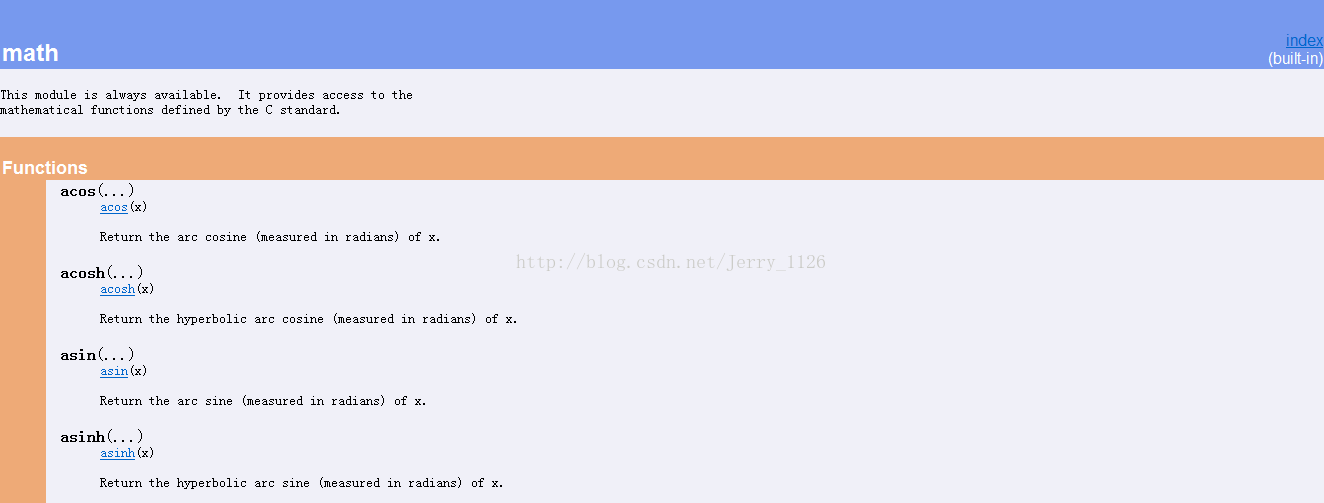
因为是自带的模块,所以右上角显示(built-in)字样
【例子】自写的模块my_doc.py
'''''
Showoff features of Pydoc module
This is easy module to demonstrate docstrings
'''
__authors__ = 'Alice & Fred'
__version__ = 'version 1.10'
__license__ = 'Copyright...'
class MyClass:
'''''
Demonstrate Class Docstrings
'''
def __init__(self, spam=1, eggs=2):
'''''
Set the default attributevalues only
Keyword arguments:
spam - a processed meat product
eggs - a fine breakfast for lumberjacks
'''
self.spam = spam
self.eggs = eggs
def square(x):
'''''
Square of the param <x>
'''
return x * x
</div>
执行命令:
D:\Learn\Python> python -m pydoc my_doc
</div>
执行结果:
Help on module my_doc:
NAME
my_doc
FILE
d:\learn\python\my_doc.py
DESCRIPTION
Showoff features of Pydoc module
This is easy module to demonstrate docstrings
CLASSES
MyClass
class MyClass
| Demonstrate Class Docstrings
|
| Methods defined here:
&n