

本文定位:已将CPU历史数据存盘,等待可视化进行分析,可暂时没有思路。
前面一篇文章(http://www.jb51.net/article/61956.htm)提到过在linux下如何用python将top命令的结果进行存盘,本文是它的后续。
python中我们可以用matplotlib很方便的将数据可视化,比如下面的代码:
import matplotlib.pyplot as plt
list1 = [1,2,3]
list2 = [4,5,9]
plt.plot(list1,list2)
plt.show()
</div>
执行效果如下:
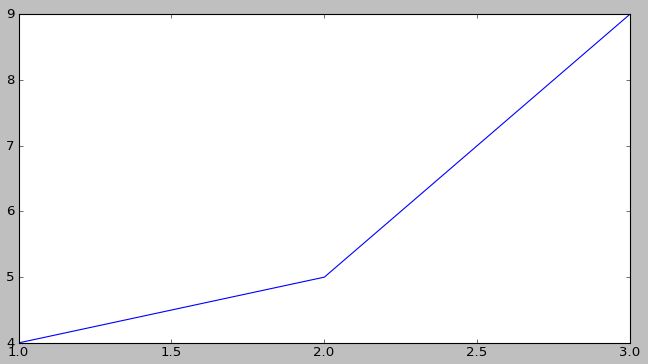
上面只是给plot函数传了两个list数据结构,show一下图形就出来了……哈哈,很方便吧!
获取CPU趋势图就用这个了!
可我们现在得到的数据没那么友好,比如我现在有个文件(file.txt),内容如下:
Cpu(s): 0.0%us, 0.0%sy, 0.0%ni,100.0%id, 0.0%wa, 0.0%hi, 0.0%si, 0.0%st
Cpu(s): 7.7%us, 7.7%sy, 0.0%ni, 76.9%id, 0.0%wa, 0.0%hi, 7.7%si, 0.0%st
Cpu(s): 0.0%us, 9.1%sy, 0.0%ni, 90.9%id, 0.0%wa, 0.0%hi, 0.0%si, 0.0%st
Cpu(s): 9.1%us, 0.0%sy, 0.0%ni, 90.9%id, 0.0%wa, 0.0%hi, 0.0%si, 0.0%st
Cpu(s): 8.3%us, 8.3%sy, 0.0%ni, 83.3%id, 0.0%wa, 0.0%hi, 0.0%si, 0.0%st
Cpu(s): 0.0%us, 0.0%sy, 0.0%ni,100.0%id, 0.0%wa, 0.0%hi, 0.0%si, 0.0%st
Cpu(s): 0.0%us, 9.1%sy, 0.0%ni, 90.9%id, 0.0%wa, 0.0%hi, 0.0%si, 0.0%st
Cpu(s): 0.0%us, 0.0%sy, 0.0%ni,100.0%id, 0.0%wa, 0.0%hi, 0.0%si, 0.0%st
</div>
其中,第一列为时间,第六列为CPU的idle值。
要从这组数据中得出CPU使用情况趋势图,我们就要做些工作了。
下面是代码,这里提供一个思路,需要的朋友拷回去改一下吧:
#coding:utf-8
'''
File : cpuUsage.py
Author : Mike
E-Mail : Mike_Zhang@live.com
'''
import matplotlib.pyplot as plt
import string
def getCpuInfData(fileName):
ret = {}
f = open(fileName,"r")
lineList = f.readlines()
for line in lineList:
tmp = line.split()
sz = len(tmp)
t_key = string.atoi(tmp[0]) # 得到key
t_value = 100.001-string.atof(line.split(':')[1].split(',')[3].split('%')[0]) # 得到value
print t_key,t_value
if not ret.has_key(t_key) :
ret[t_key] = []
ret[t_key].append(t_value)
f.close()
return ret
retMap1 = getCpuInfData("file.txt")
# 生成CPU使用情况趋势图
list1 = retMap1.keys()
list1.sort()
list2 = []
for i in list1:list2.append(retMap1[i])
plt.plot(list1,list2)
plt.show()
</div>
好,就这些了,希望对你有帮助。
</div>