

在Python网络爬虫中,通常是通过TXT纯文本方式存储,其实也是可以存储在数据库中的;同时在WAMP(Windows、Apache、MySQL、PHP或Python)开发网站中,也可以通过Python构建网页的,所以这篇文章主要讲述Python调用MySQL数据库相关编程知识。从以下几个方面进行讲解:
1.配置MySLQ
2.SQL语句基础知识
3.Python操作MySQL基础知识
4.Python调用MySQL示例
一. 配置MySQL
首先下载mysql-5.0.96-winx64,安装过程如下图所示。
1.安装MySQL 5.0
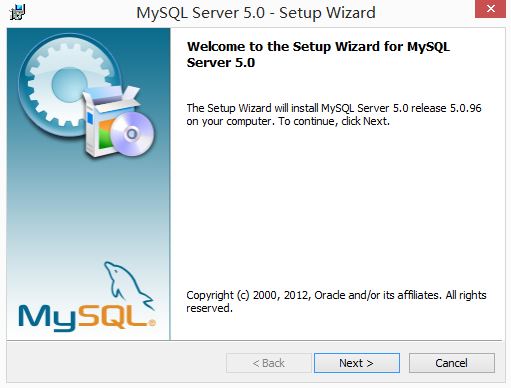
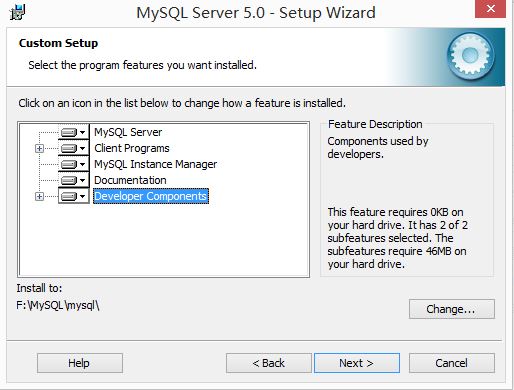
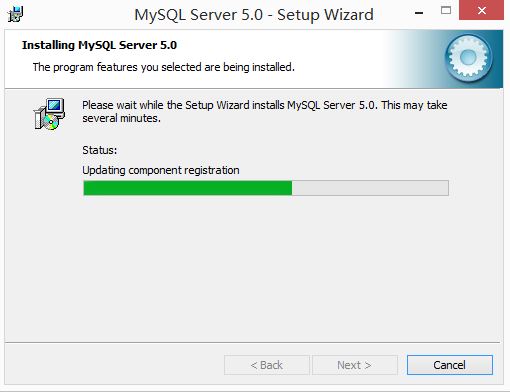
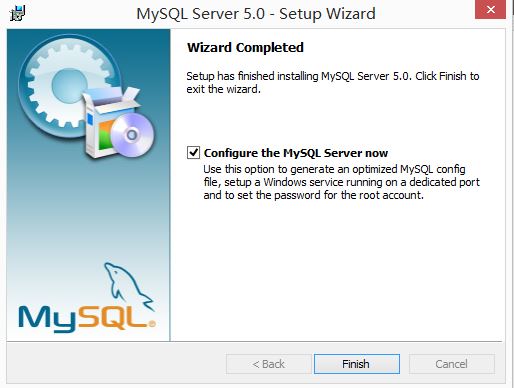
2.选择手动配置、服务类型、通用多功能型和安装路径
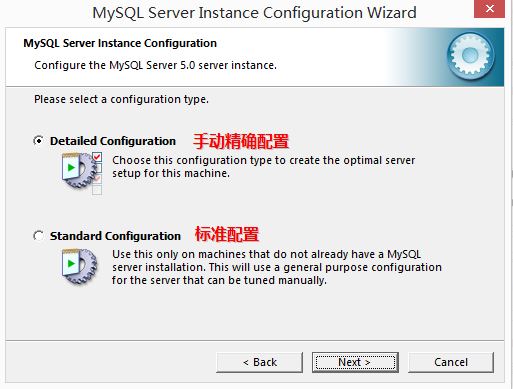
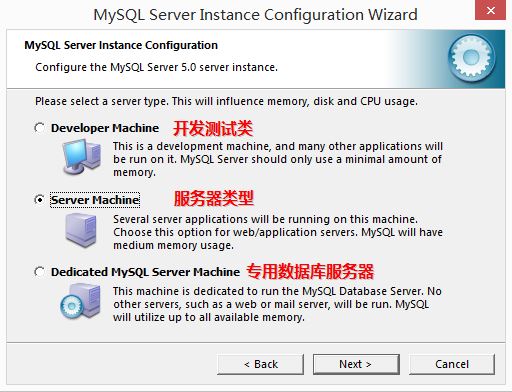
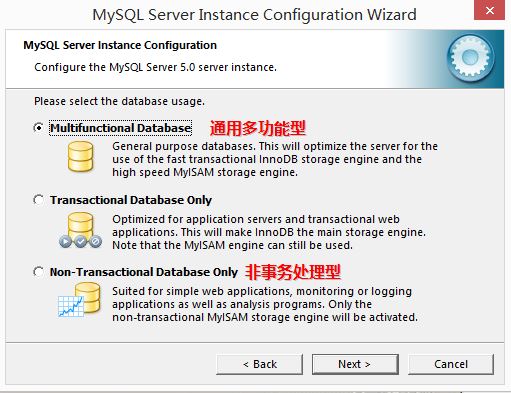
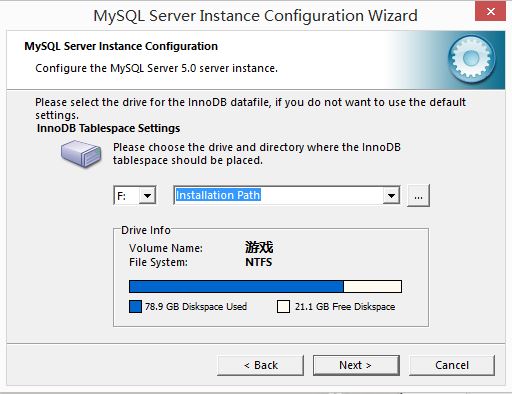
3.设置数据库访问量连接数为15、端口为3306(代码中设置URL用到)、编码方式为utf-8
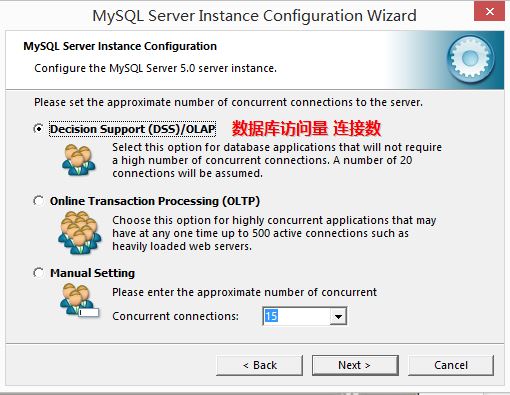
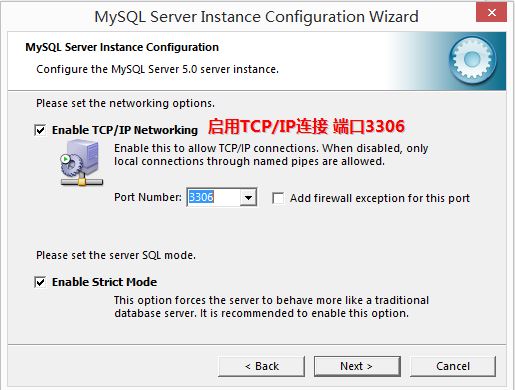
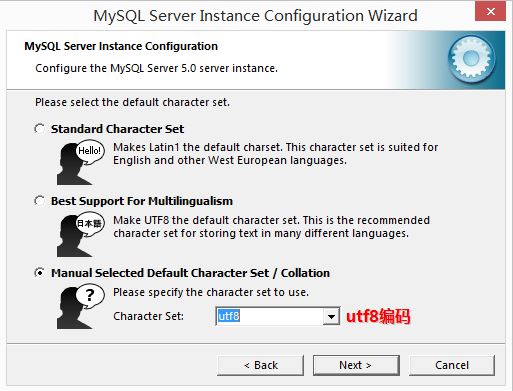
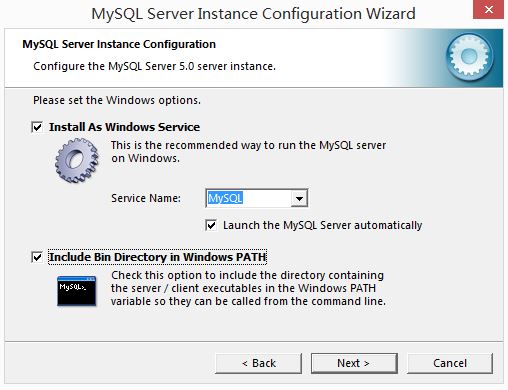
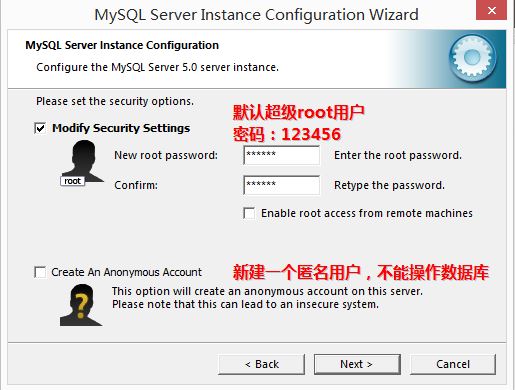
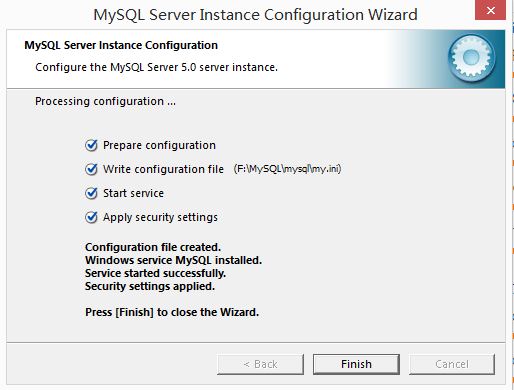
4.设置默认超级root用户的用户名和密码,最后安装成功
二. SQL语句基础知识
安装MySQL 5.0成功后,进行数据库的简单操作。
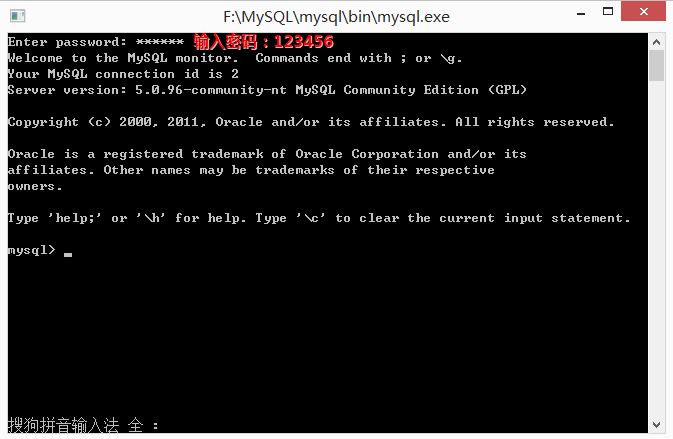
1.运行MySQL输入默认用户密码123456
2.创建数据库test01和使用数据库(第二次调用直接use database)
create database test01;

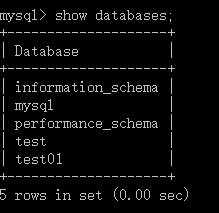
显示数据库中包含的数据库:show databases;
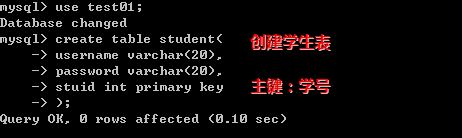
3.创建表student,其中学号为主键
create table student(username varchar(20),password varchar(20),stuid int primary key);
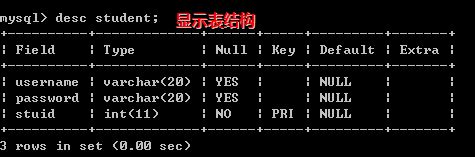
4.显示表结构,使用语句desc student
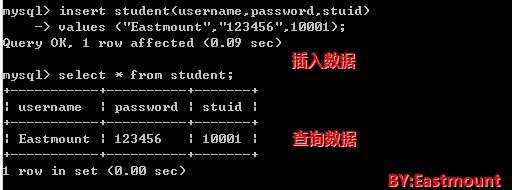
5.向学生表中插入数据并显示查询的数据
6.删除表:drop table student;

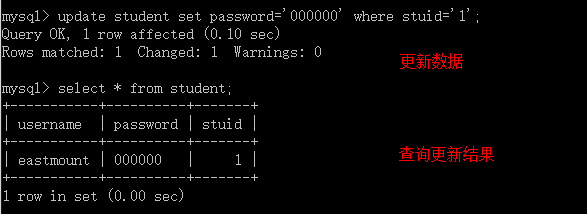
7.更新数据
update student set password='000000' where stuid='1';
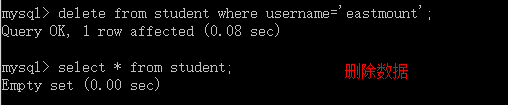
8.删除数据
Delete from student where username='eastmount;
此时MySQL操作数据库基本讲解结束,你同样可以实现数据库的增删改查、事务、存储过程等操作,建议安装可视化的软件来替代黑框,或使用Navicat for MySQL软件即可。代码如下:
Enter password: ******
mysql> show databases;
+--------------------+
| Database      |
+--------------------+
| information_schema |
| mysql       |
| performance_schema |
| test        |
| test01       |
+--------------------+
5 rows in set (0.00 sec)

mysql> use test01;
Database changed
mysql> show tables;
Empty set (0.00 sec)

mysql> create table student(username varchar(20),
  ->         password varchar(20),
  ->         stuid int primary key);
Query OK, 0 rows affected (0.33 sec)

mysql> show tables;
+------------------+
| Tables_in_test01 |
+------------------+
| student     |
+------------------+
1 row in set (0.00 sec)

mysql> desc student;
+----------+-------------+------+-----+---------+-------+
| Field  | Type    | Null | Key | Default | Extra |
+----------+-------------+------+-----+---------+-------+
| username | varchar(20) | YES |   | NULL  |    |
| password | varchar(20) | YES |   | NULL  |    |
| stuid  | int(11)   | NO  | PRI | NULL  |    |
+----------+-------------+------+-----+---------+-------+
3 rows in set (0.03 sec)

mysql> insert student(username, password, stuid)
  -> values('eastmount','123456',1)
  -> ;
Query OK, 1 row affected (0.05 sec)

mysql> select * from student;
+-----------+----------+-------+
| username | password | stuid |
+-----------+----------+-------+
| eastmount | 123456  |   1 |
+-----------+----------+-------+
1 row in set (0.00 sec)

mysql> update student set password='000000' where stuid='1';
Query OK, 1 row affected (0.10 sec)
Rows matched: 1 Changed: 1 Warnings: 0

mysql> select * from student;
+-----------+----------+-------+
| username | password | stuid |
+-----------+----------+-------+
| eastmount | 000000  |   1 |
+-----------+----------+-------+
1 row in set (0.00 sec)

mysql> delete from student where username='eastmount';
Query OK, 1 row affected (0.08 sec)

mysql> select * from student;
Empty set (0.00 sec)

mysql>
</div>
三. Python调用MySQL基础知识
通常的安装方法是使用:pip install mysql 安装Python的MySQL库,但是总会报错。常见错误如:
Microsoft Visual C++ 9.0 is required (Unable to find vcvarsall.bat)
mysql.c(42) : fatal error C1083: Cannot open include file: 'config-win.h': No such file or directory
这些可能是驱动等问题。
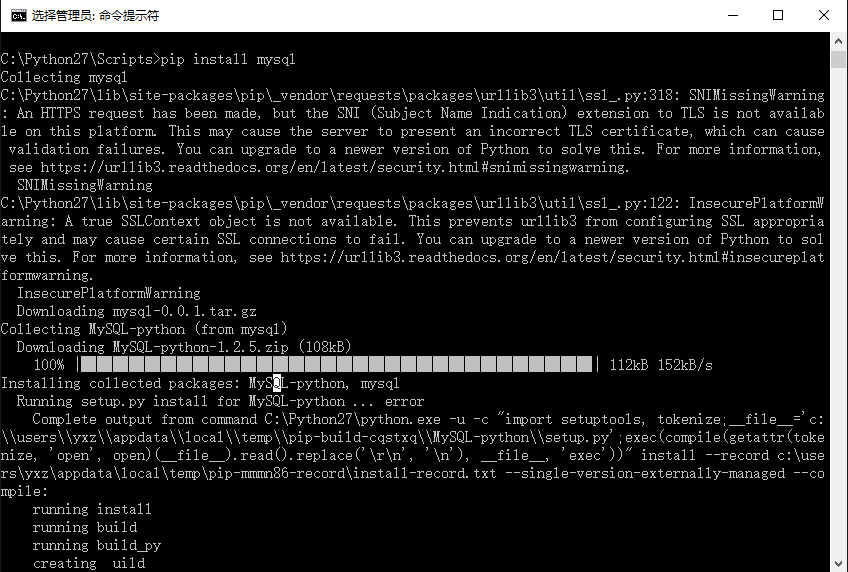
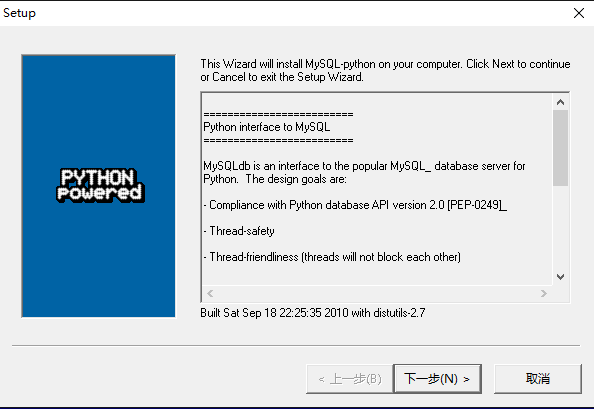
正确安装方法:
建议下载一个MySQL-python-1.2.3.win-amd64-py2.7.exe文件进行安装。
官网地址:https://pypi.python.org/pypi/MySQL-python/
下载地址:http://www.jb51.net/softs/73369.html
下面我们要详细了解Python数据库API。从Python中访问数据库需要接口程序,接口程序是一个Python模块,它提供数据库客户端库(通常是C语言写成的)的接口供你访问。注意:Python接口程序都一定要遵守Python DB-API规范。
DB-API是一个规范。它定义了一系列必须的对象和数据库存取方式,以便为各种各样的底层数据库系统和多种多样的数据库接口程序提供一致的访问接口。DB-API为不同的数据库提供了一致的访问接口,在不同的数据库之间移植代码成为一件轻松的事情。
下面简单介绍DB-API的使用方法。
1.模块属性
DB-API规范里的以下特性和属性必须提供。一个DB-API兼容模块定义如下所示:
apilevel:模块兼容的DB-API版本号
threadsafety:线程安全级别
paramstyle:支持sql语句参数风格
connect():连接数据库
</div>
Python调用MsSQL需要导入MySQLdb库,如下:
import MySQLdb
2.connec